Skip to content
Van Oosten Advies B.V.

Reference · Our own Business Central app

The website asks, Business Central answers

A customer who requests a quote on a website wants to see it again without phoning. CustomerGate 365 makes that connection: requests arrive as a work queue for inside sales, and customers sign in to a portal to see their quotes, orders, shipments and documents. One app for every company; what differs per customer is configuration, not code.

At a glance

Client
Our own product, published as Van Oosten Software
What
CustomerGate 365, an app for Microsoft Dynamics 365 Business Central
My role
Design, build, documentation and the road to AppSource
Timeline
Built in 2026
Status
Version 1.0, being prepared for AppSource
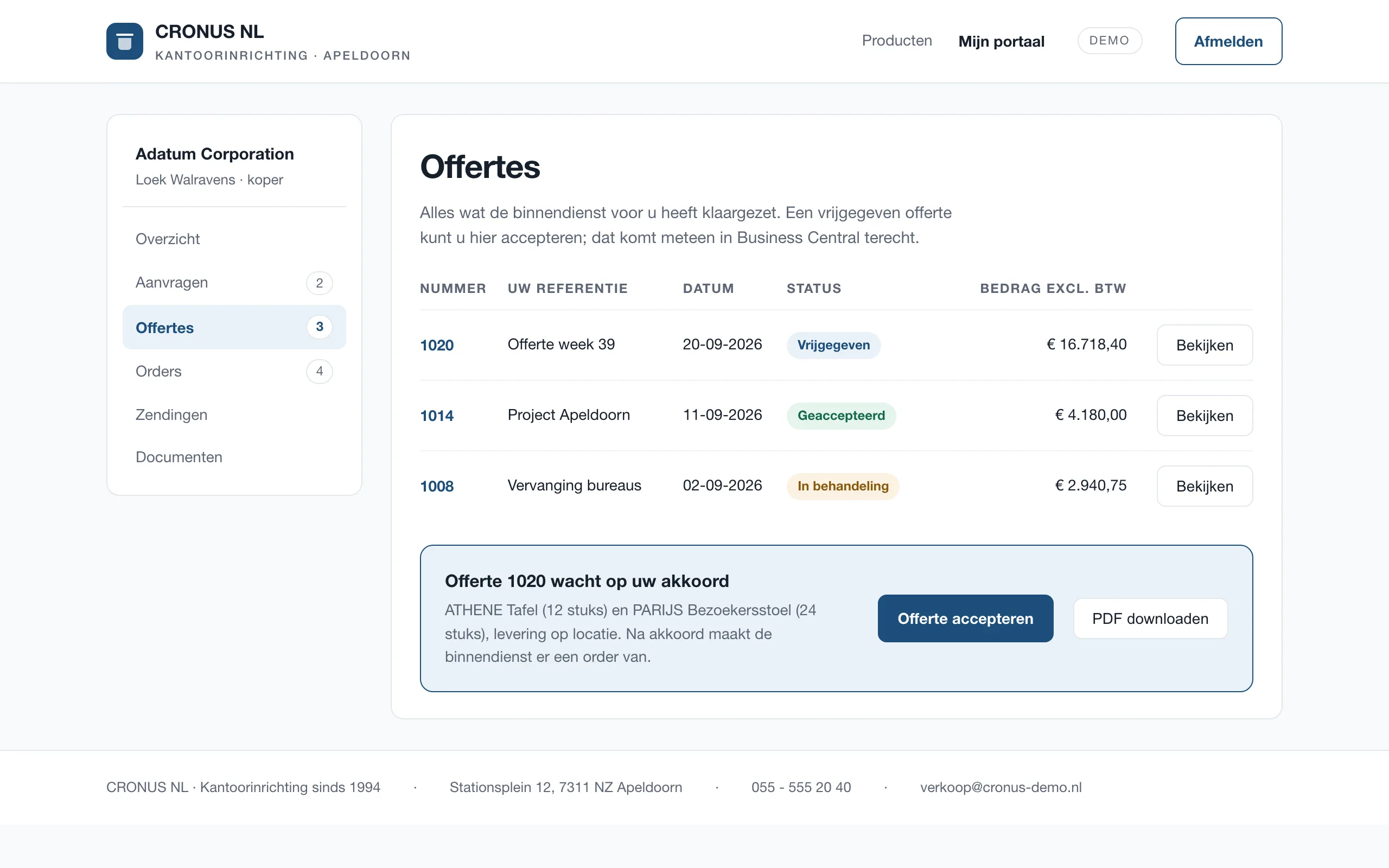
The customer portal in a demo setup: quotes with their status, and a button to accept the open one

Where it started

Customers phone about their order. Where is the quote, has the shipment left, can the invoice be sent once more? Those are questions whose answers already exist, in Business Central, but not anywhere the customer can look.

At the front it is the same story: a form on the website lands in a mailbox, and somebody retypes it into a quote. That takes time and it goes wrong now and then. So the plan was one chain, from the question on the website to the document in the portal, with Business Central as the only source.

The whole chain, in pictures

From the question on the website to the quote in the portal. The Business Central screens come from a sandbox with Microsoft's demo data; the website and the portal are a demo of an invented wholesaler, because every customer builds those in their own house style.

It starts on the website

The visitor sees the company's items with their code, specification and stock status, and puts a request together in a few clicks. The catalogue comes from Business Central: one item list, not a second one drifting out of step.
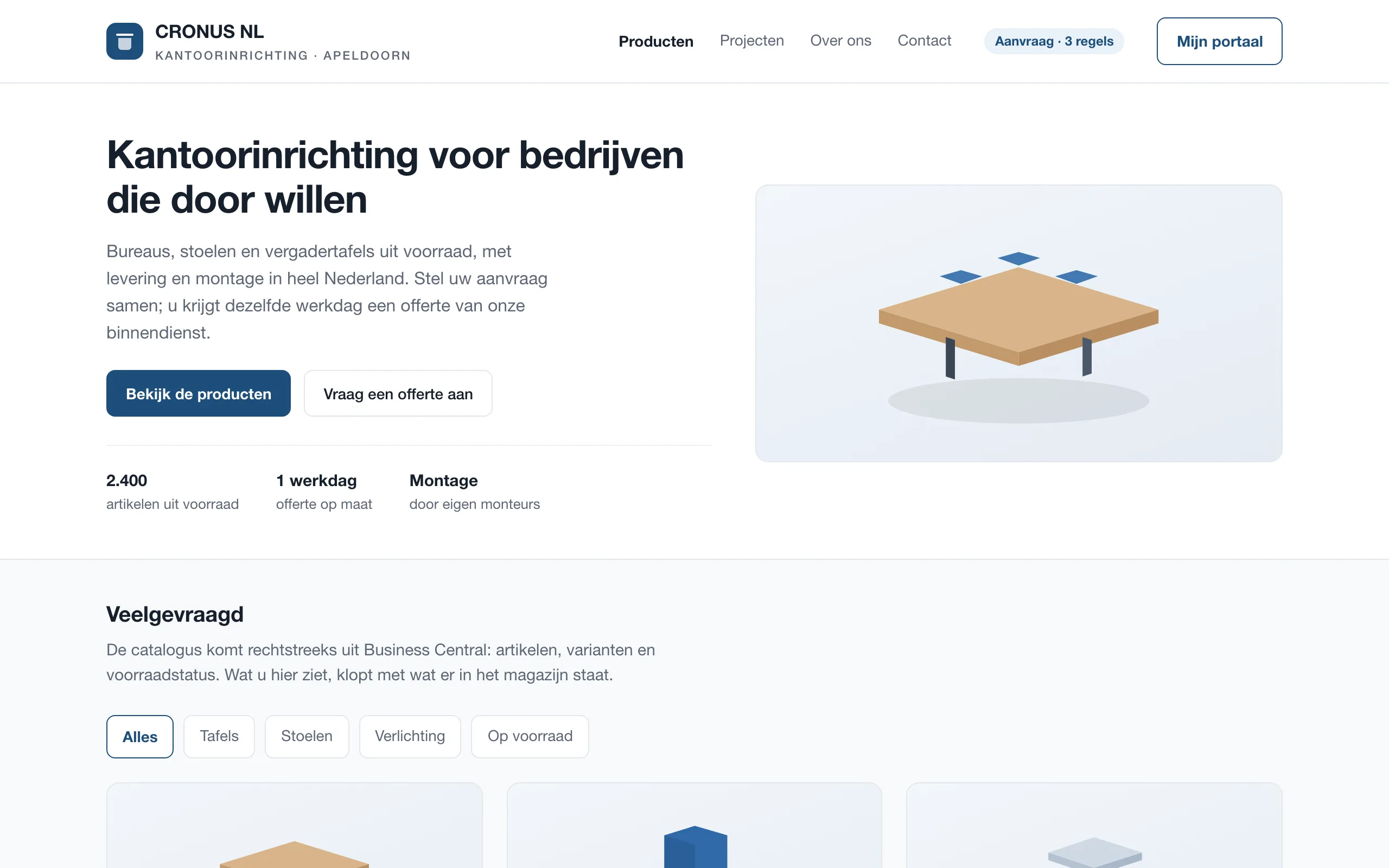
The products page of a demo website with six technical items, filters and buttons to add them to a request

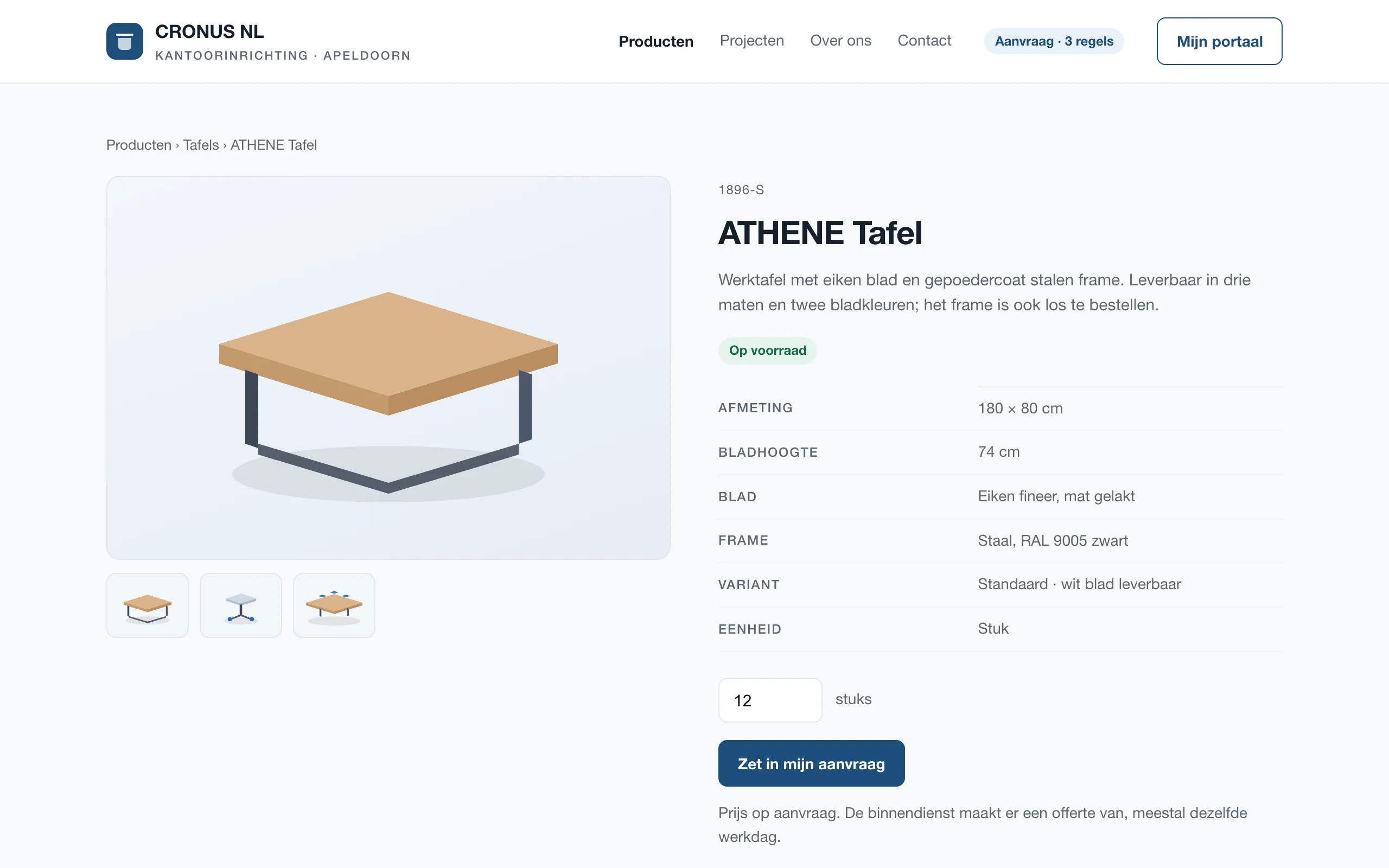
One page per item

Specifications, variants and stock status come from Business Central. There is no price where the price is not fixed: the visitor asks for a quantity and inside sales turns it into a quote.

The item page of the demo website: a ball bearing with specifications, stock status and a quantity field

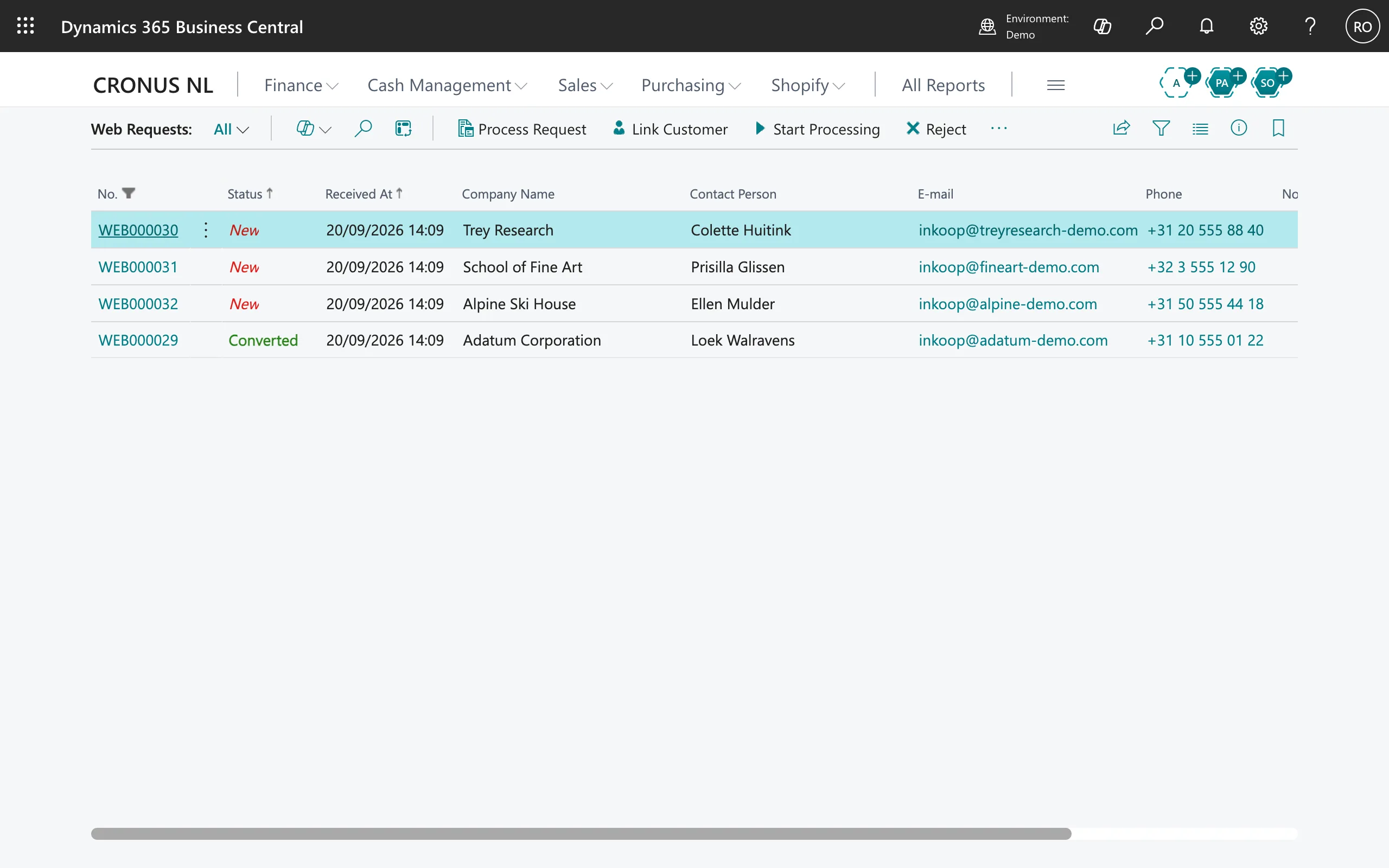
The request lands in the work queue

In Business Central the request appears with a number of its own, the status it is in and who sent it. Inside sales chooses: tie it to a customer, start processing it, or reject it. Nothing moves on by itself.

The Web Requests list in Business Central with four incoming requests

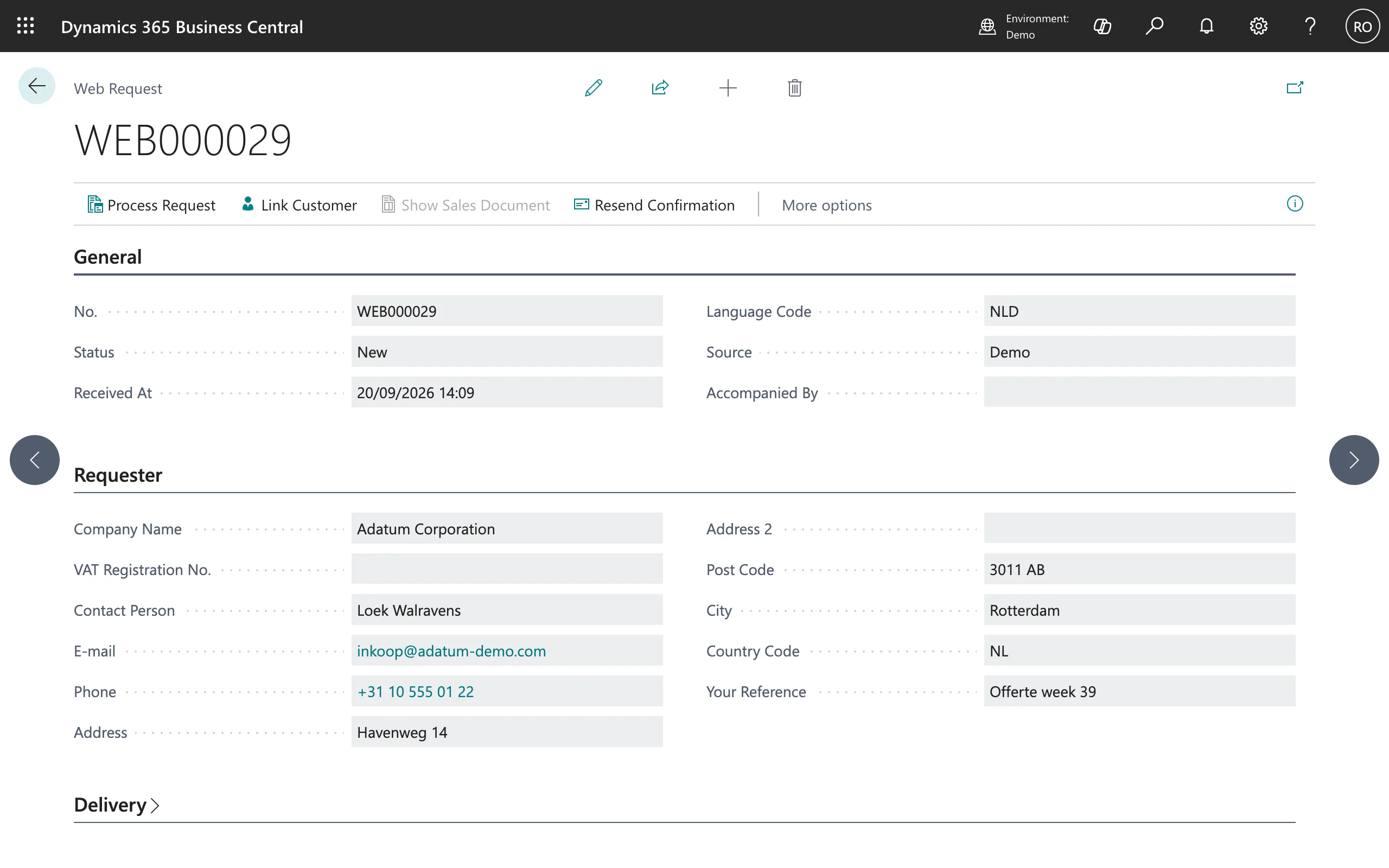
Everything the website sent along

The card holds what the visitor filled in: company, contact, address, the reference they chose themselves and their lines with quantities and notes. Above it sits the button that does the rest.

The card of a web request in Business Central, with the requester's details and the Process Request button

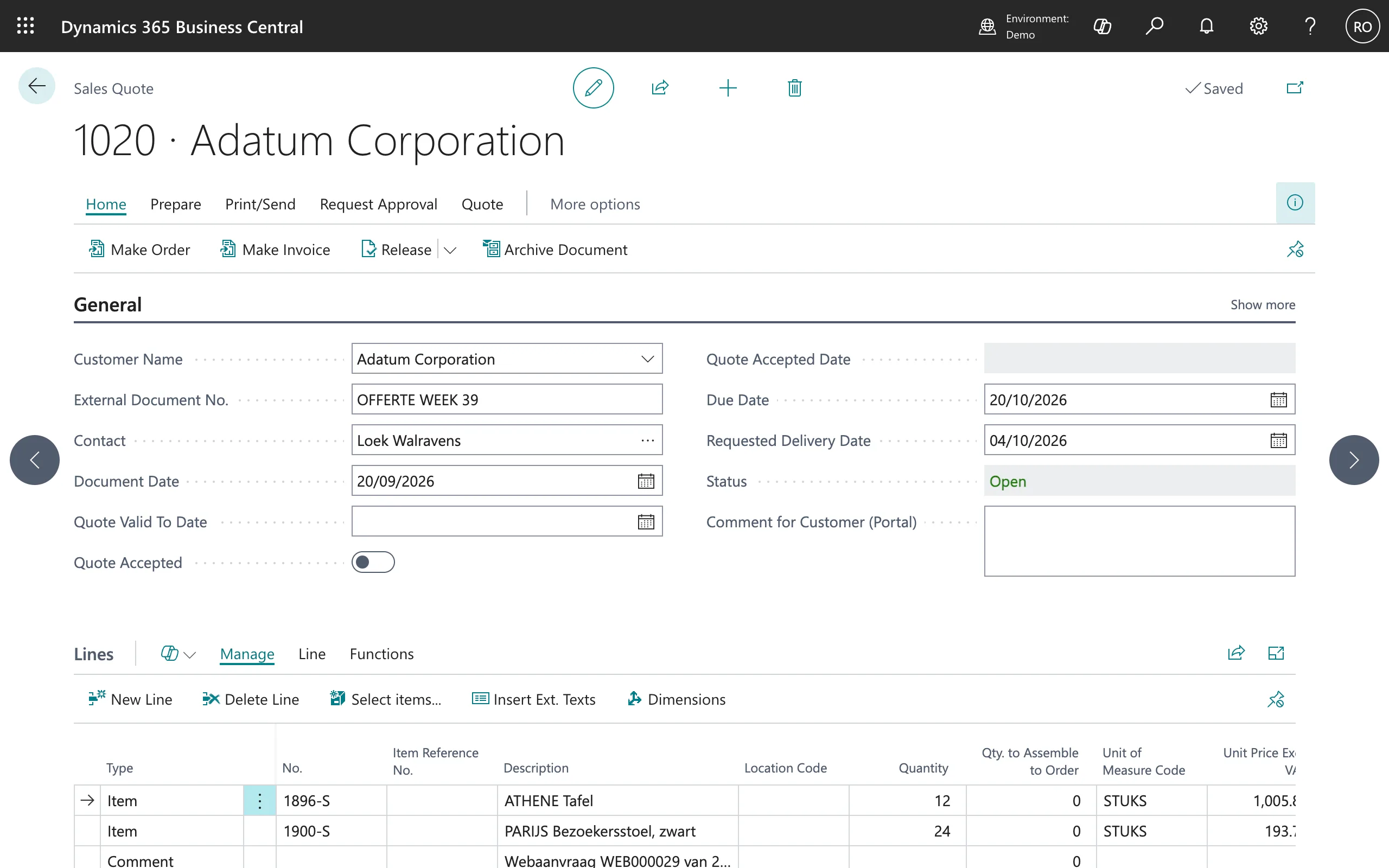
One button, and it is a quote

Process Request turns it into an ordinary sales quote, with the lines, the customer and the requester's reference in it. At the bottom sits a line pointing back at the request number, so later it is clear where the quote came from. The request itself goes to Converted and can no longer change quietly.

Sales quote 1019 in Business Central, created from the web request, with the item lines and a reference to the request number

The customer sees it back

The portal holds their requests, quotes, orders, shipments and documents. A released quote can be accepted there; that acceptance gets a fingerprint, so afterwards it is settled what was agreed to.

The customer portal of the demo website with three quotes, their status and a button to accept the open one

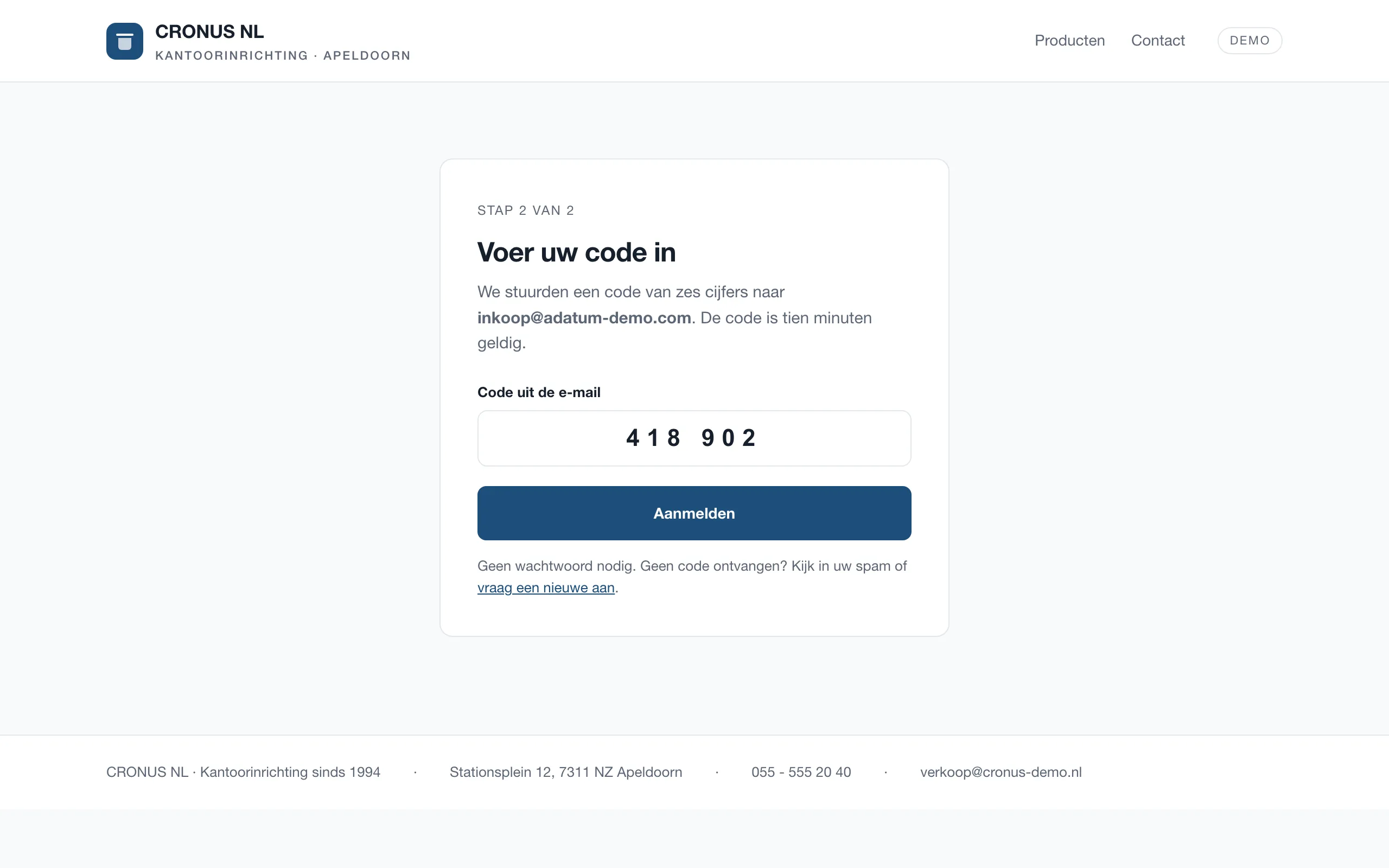
Signing in without a password

The portal sends a six-digit code to the e-mail address inside sales approved. So there is no password to be stolen, reused or forgotten, and no user database to manage.

The portal sign-in screen: a six-digit code from the e-mail, with no password field

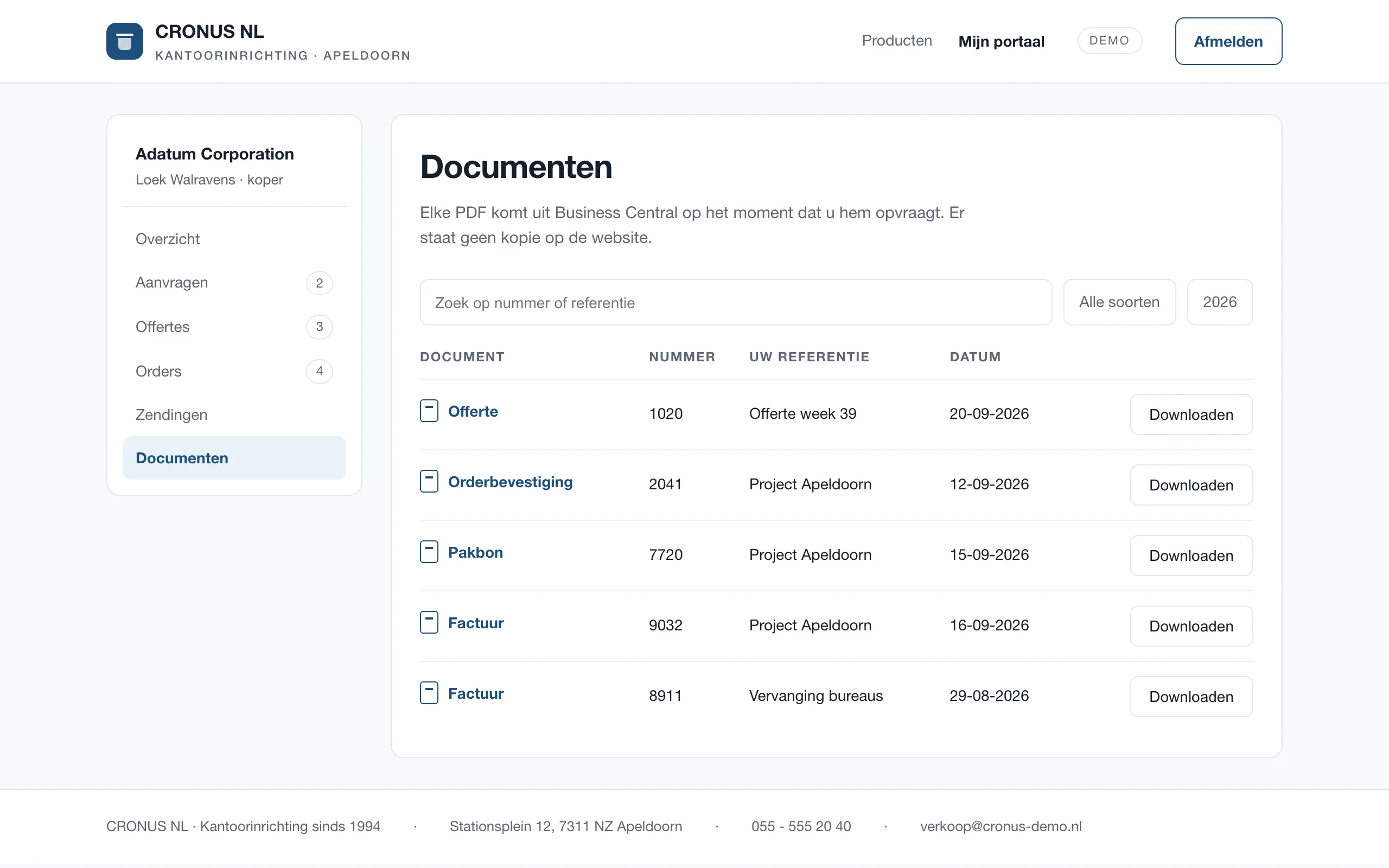
Documents from the source

Quotes, order confirmations, packing slips and invoices live in the portal, but are only fetched the moment the customer clicks one. There is no copy on the website that could drift out of step.

The documents page of the portal with a quote, order confirmation, packing slip and two invoices, each with a download button

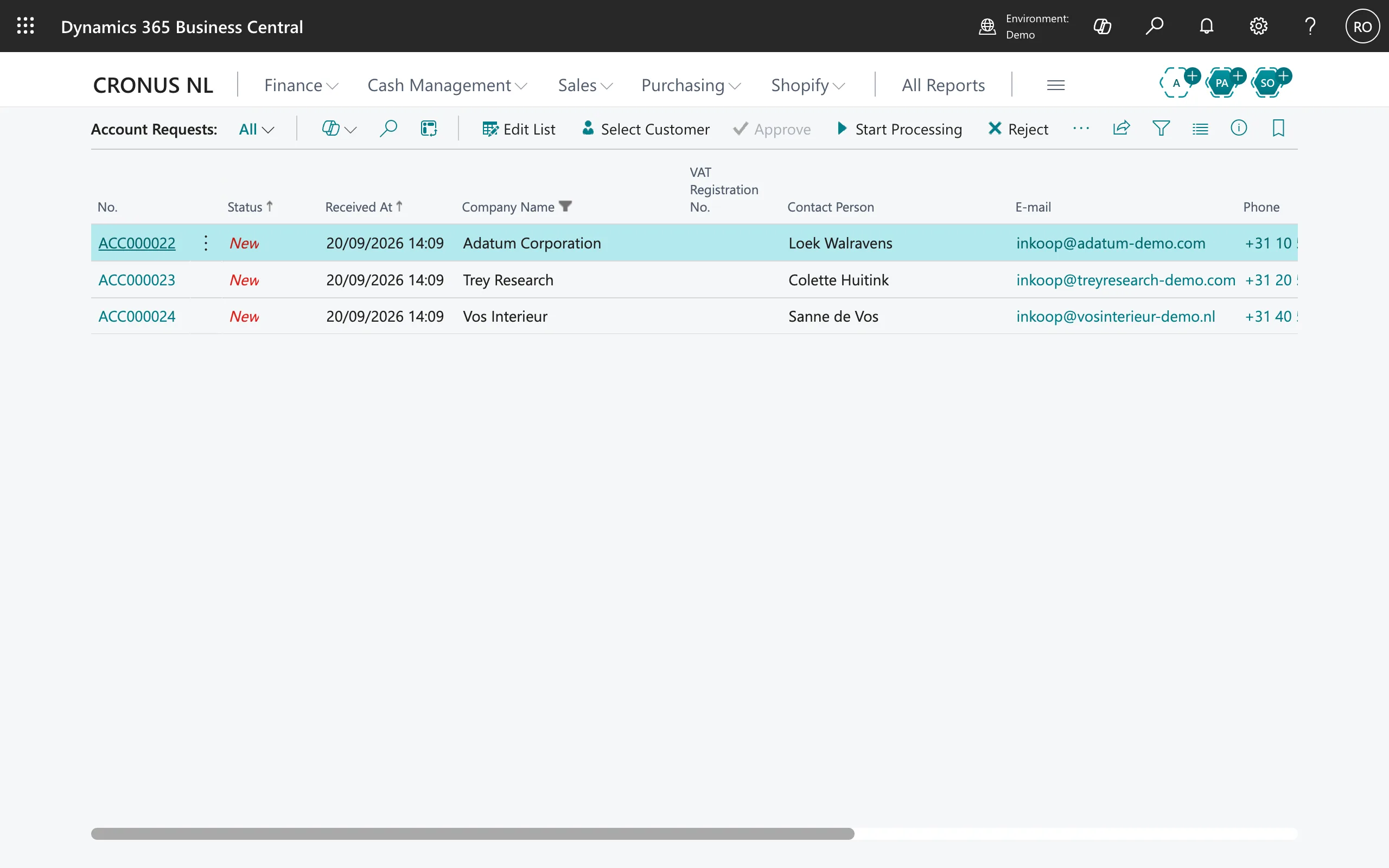
Inside sales decides who gets access

A visitor who wants an account lands in a second list. It shows whether they say they are already a customer and which customer number they name, but that is no more than a claim: the link to a real customer is made here, by hand.

The Account Requests list with three requests for a portal account

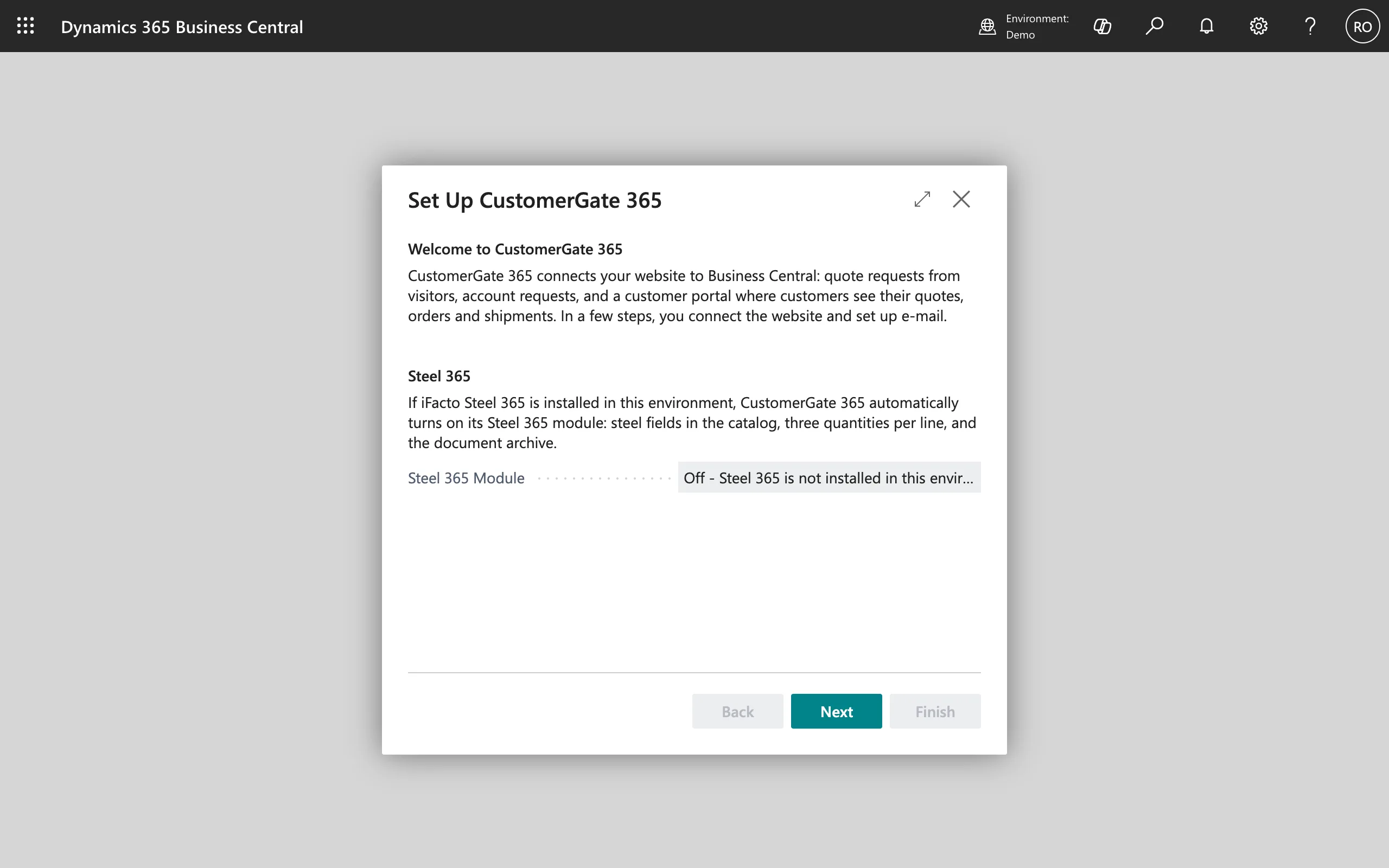
The module switches itself on or off

During setup the app checks whether iFacto's industry software is in this environment. If it is, the extra fields, the three quantities per line and the document archive come with it. If it is not, everything works with the standard fields.

The Set Up CustomerGate 365 wizard, with the module for the industry software off because it is not installed here

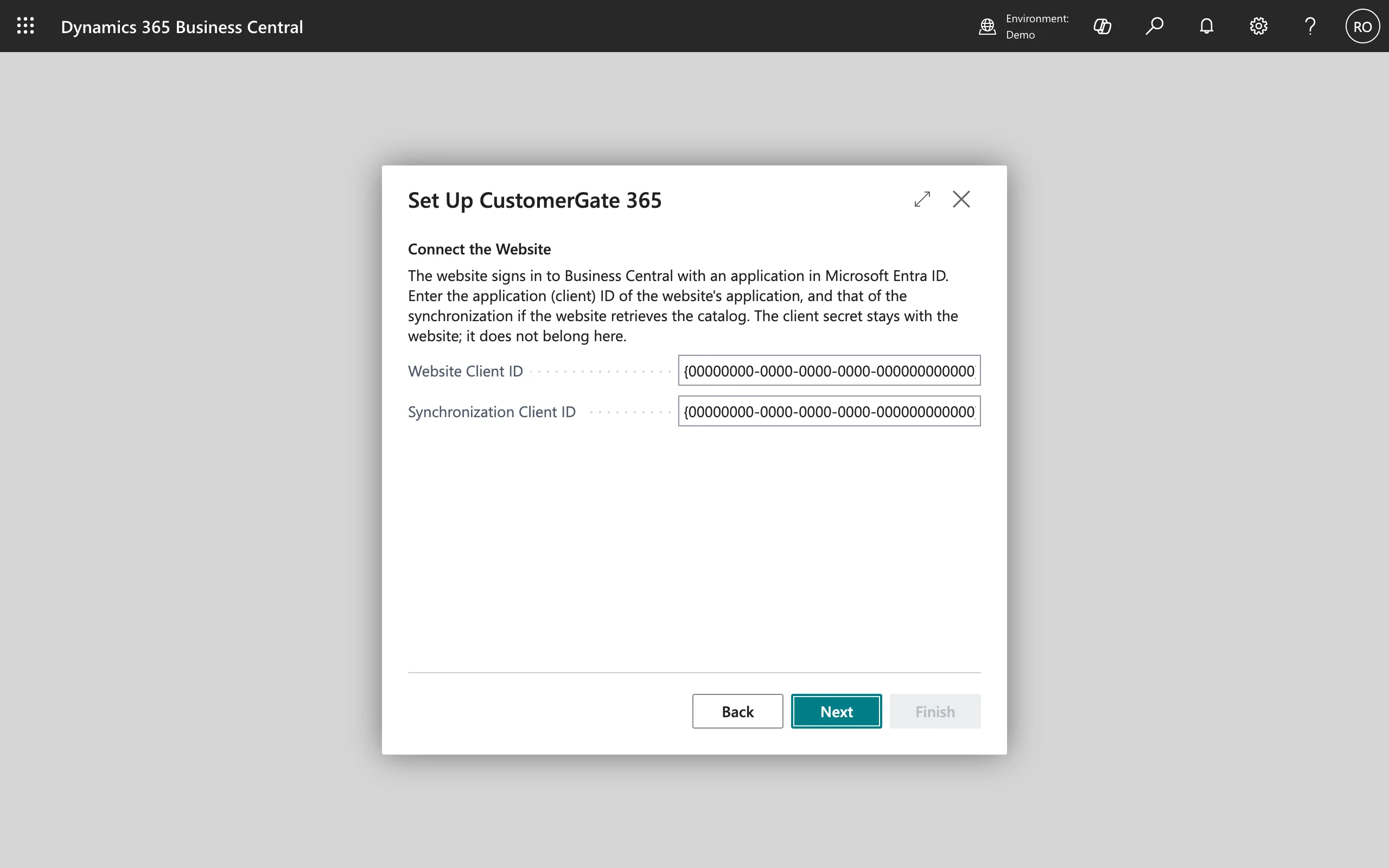
The key stays with the website

The website signs in with a registration of its own in Microsoft Entra. Business Central holds only which application that is; the secret of that application belongs to the website and is not asked for here.

The Connect the Website step, with fields for the client ID and the note that the secret stays with the website

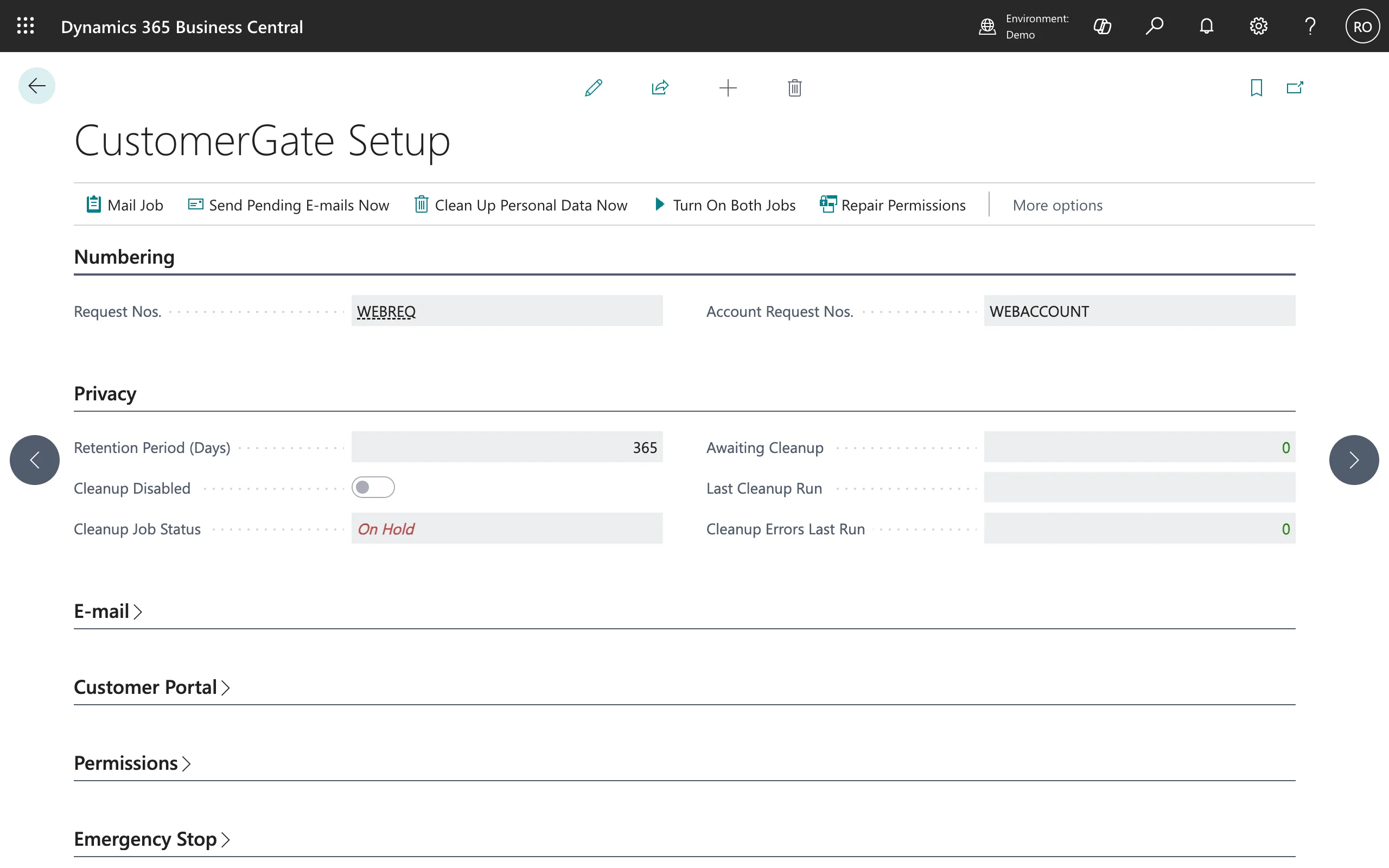
Everything on one setup page

Number series, the retention period for personal data, whether the cleanup job is really running, how many requests are waiting for cleanup, and whether the web service the portal calls is published. Not just settings, but whether they work.

The CustomerGate Setup page with number series, privacy settings and the status of the cleanup job

What the app does not know, and does not keep

A portal that shows customer data has to be explainable. These are the rules, fixed in the code.

The customer number does not travel

The website does not know which customer number belongs to a visitor, and cannot ask for it either. The link between an e-mail address and a customer is made in Business Central, by inside sales.

Signing in without a password

The portal sends a one-time code by e-mail. So there is no password to be stolen, reused or forgotten.

Per role, what someone may see

A portal user is a buyer or a reader, tied to one customer. They see that customer's documents and nothing beyond; Business Central enforces that, not the website.

Personal data expires

Requests carry a retention period. A job clears out whatever is past it, and the setup page shows whether that job is really running and how much is waiting.

See it, take it, erase it

Per e-mail address everything can be exported or erased, the GDPR rights that matter in practice. Every field is classified as well, so Business Central itself knows what is personal data.

Documents from the source

The PDFs come from the reports Business Central already uses, or from the industry software's document archive where there is one. Nothing is stored separately that could start to differ.

The result

CustomerGate 365 is at version 1.0 and builds and tests cleanly against Business Central 28 and 29. The app is English with four translations: Dutch for the Netherlands and Belgium, and French for Belgium and France. The setup guide, the web service reference, the licence terms and the privacy statement are on this site.

What remains is the AppSource submission: an object range of its own, telemetry in Azure, a certificate to sign the app, and the offer in Partner Center.

More about the app itself on the product page

Technology

Standard Business Central and standard Microsoft sign-in. No server in between, no user database of our own.

  • AL for Business Central
  • Web services (OData)
  • Microsoft Entra ID
  • Job queue
  • AppSourceCop
  • AL-Go for GitHub
  • Next.js for the portal

Do you want your customers to see online what Business Central holds?

Tell me what your customers phone about today. I will tell you honestly whether a portal pays for itself, and what it takes to set up.