Skip to content
Van Oosten Advies B.V.

Reference · Custom web application

From the bridge to the report on the shipowner's desk

Global Maritime Survey carries out inspections and audits for shipping companies. For their Navigational Assessment I built GMS Forms: a platform of their own where auditors fill in and sign on board, even without a connection, and where the office reviews, approves and sends the report to the shipping company.

At a glance

Client
Global Maritime Survey B.V.
What
GMS Forms, a custom web application for inspections
My role
Design, build, hosting and maintenance
Timeline
Built in the summer of 2026, in use since September 2026
Runs on
Laptop, tablet and phone, in Dutch and English
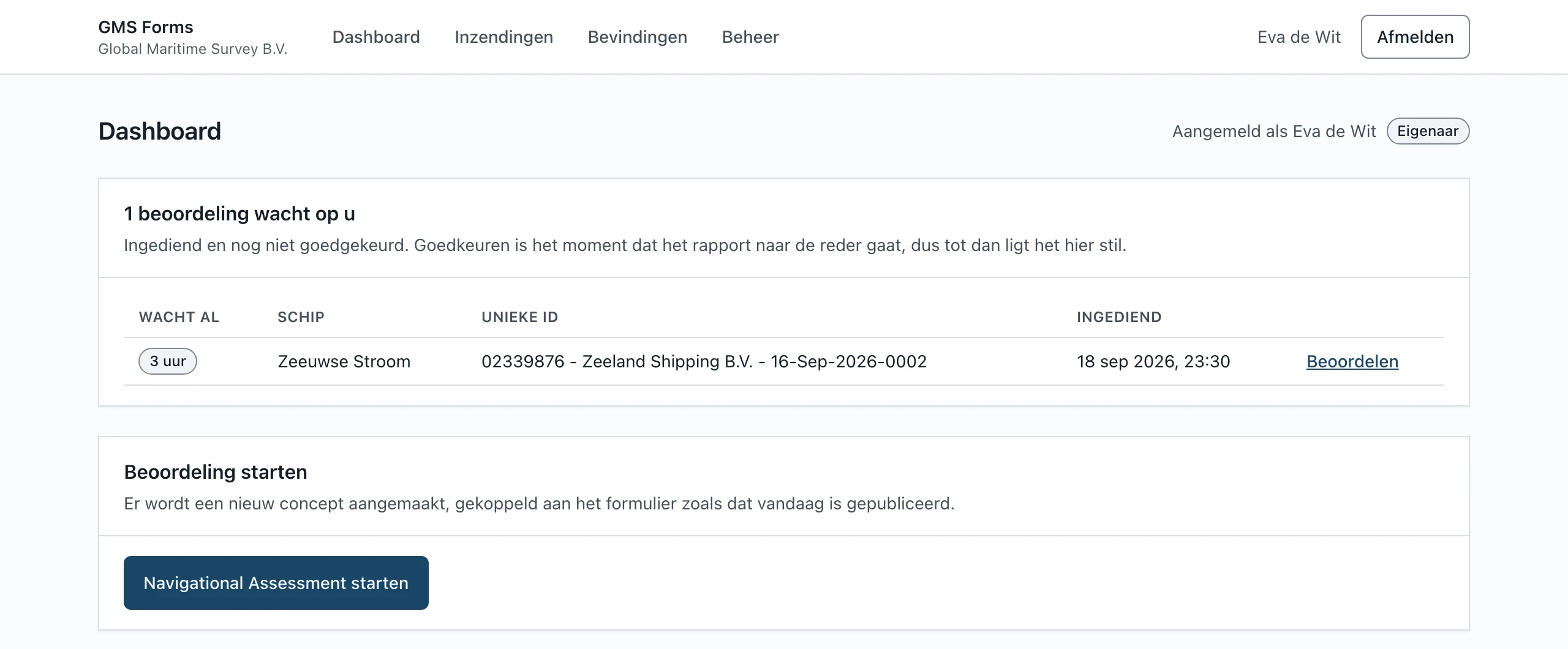
The GMS Forms dashboard, with a submitted assessment waiting for approval

Where they started

The Navigational Assessment is a 25-page assessment an auditor carries out on board, ending with the signatures of the master and the auditor. Global Maritime Survey recorded it in Zoho Forms. The report was an export, and a finding was a line in a PDF that dropped out of sight once the audit was over.

What they wanted was a platform of their own, built around the way GMS works: filling in on board, including where the signal drops; a review at the office before anything goes to the shipping company; findings that stay on the record until they are resolved. With e-mail from GMS's own Microsoft 365, and without leaving the Zoho history behind.

What was built

One platform for the whole chain, from the first question on board to the report in the shipping company's inbox.

Filling in on board, even offline

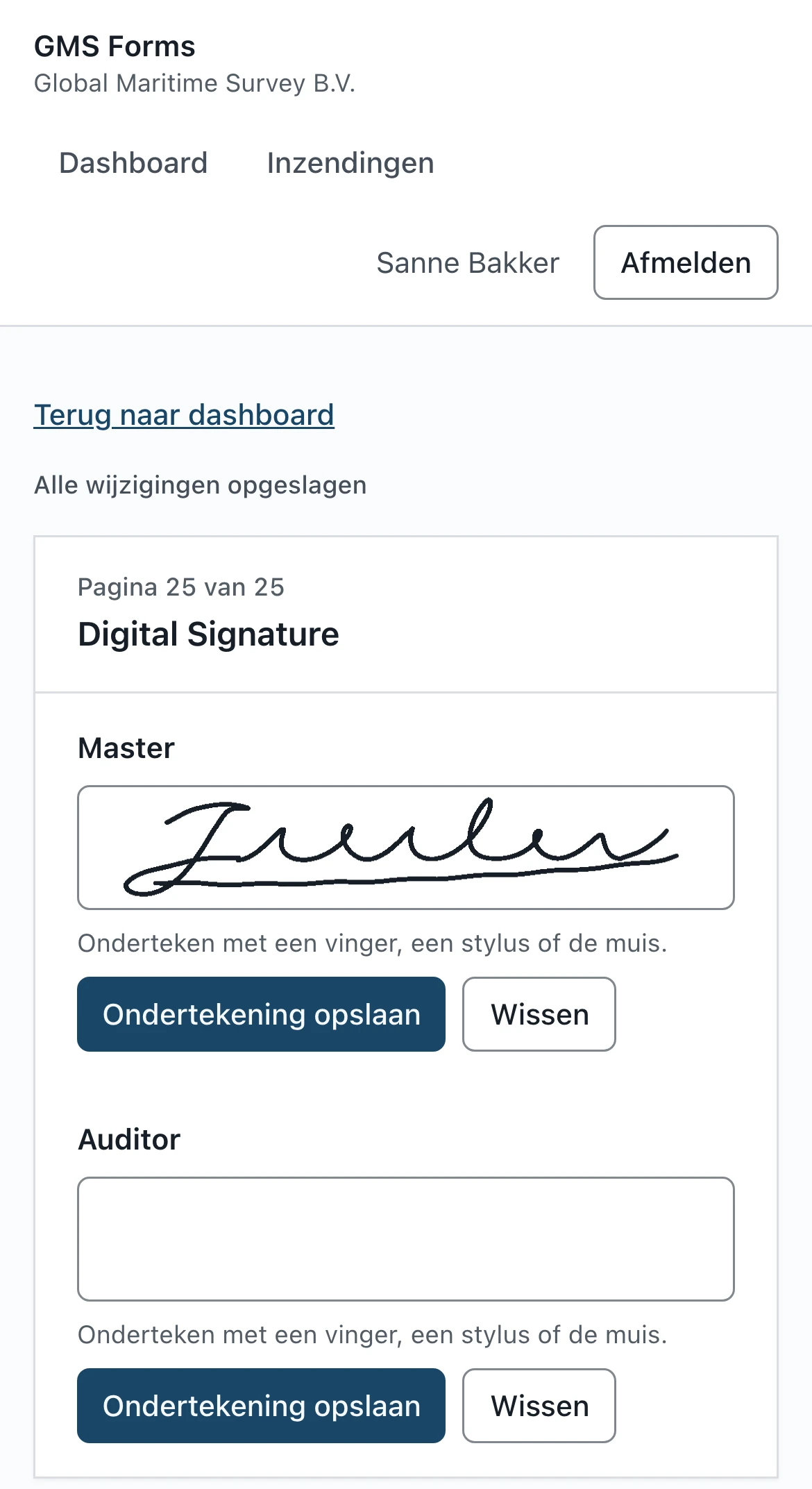
The auditor works in the browser, on a laptop, tablet or phone. Everything is saved while they type. If the connection drops, the answers stay on the device and reach the server by themselves once there is signal again. Master and auditor sign with a finger, on the same screen.
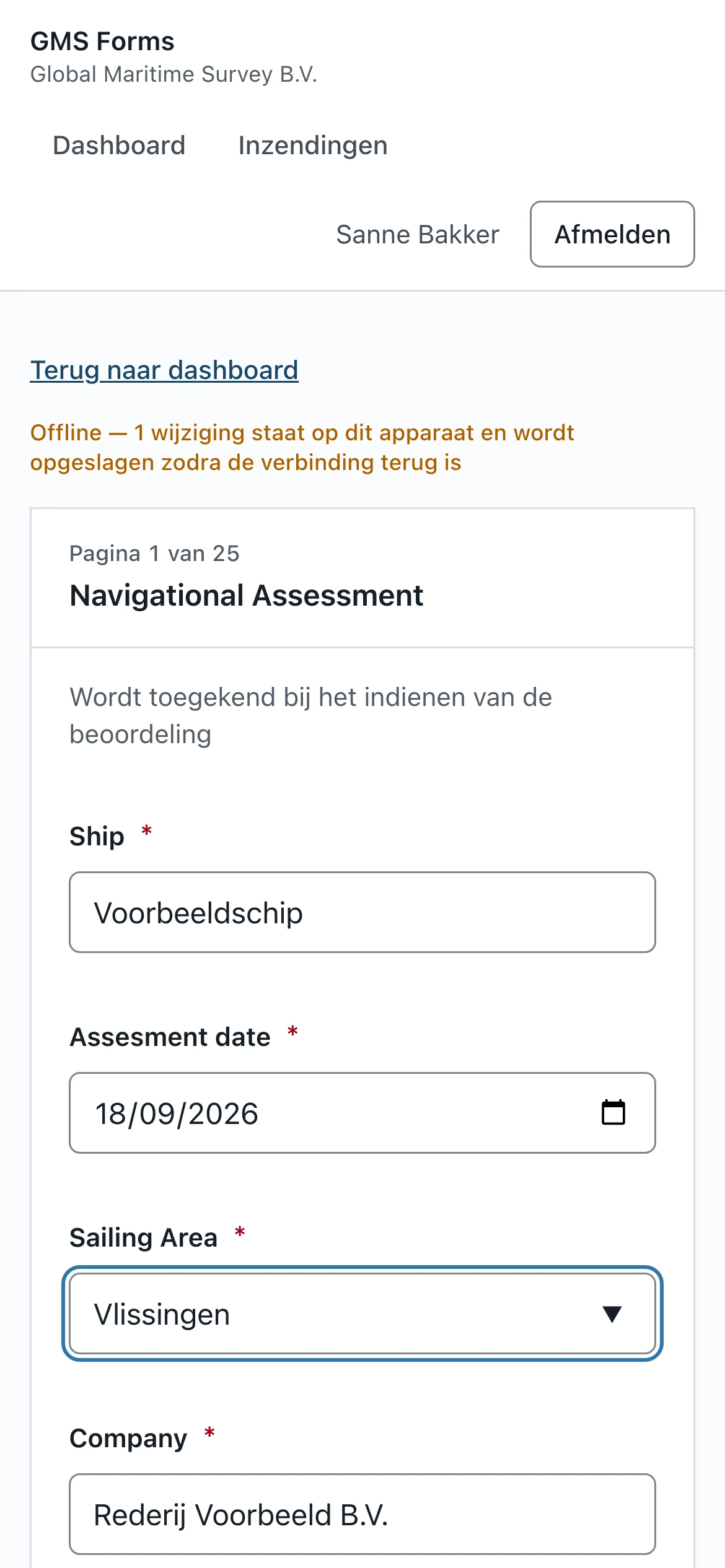
Filling in on a phone without a connection: the Offline notice says one change is waiting on the device

Review first, then send

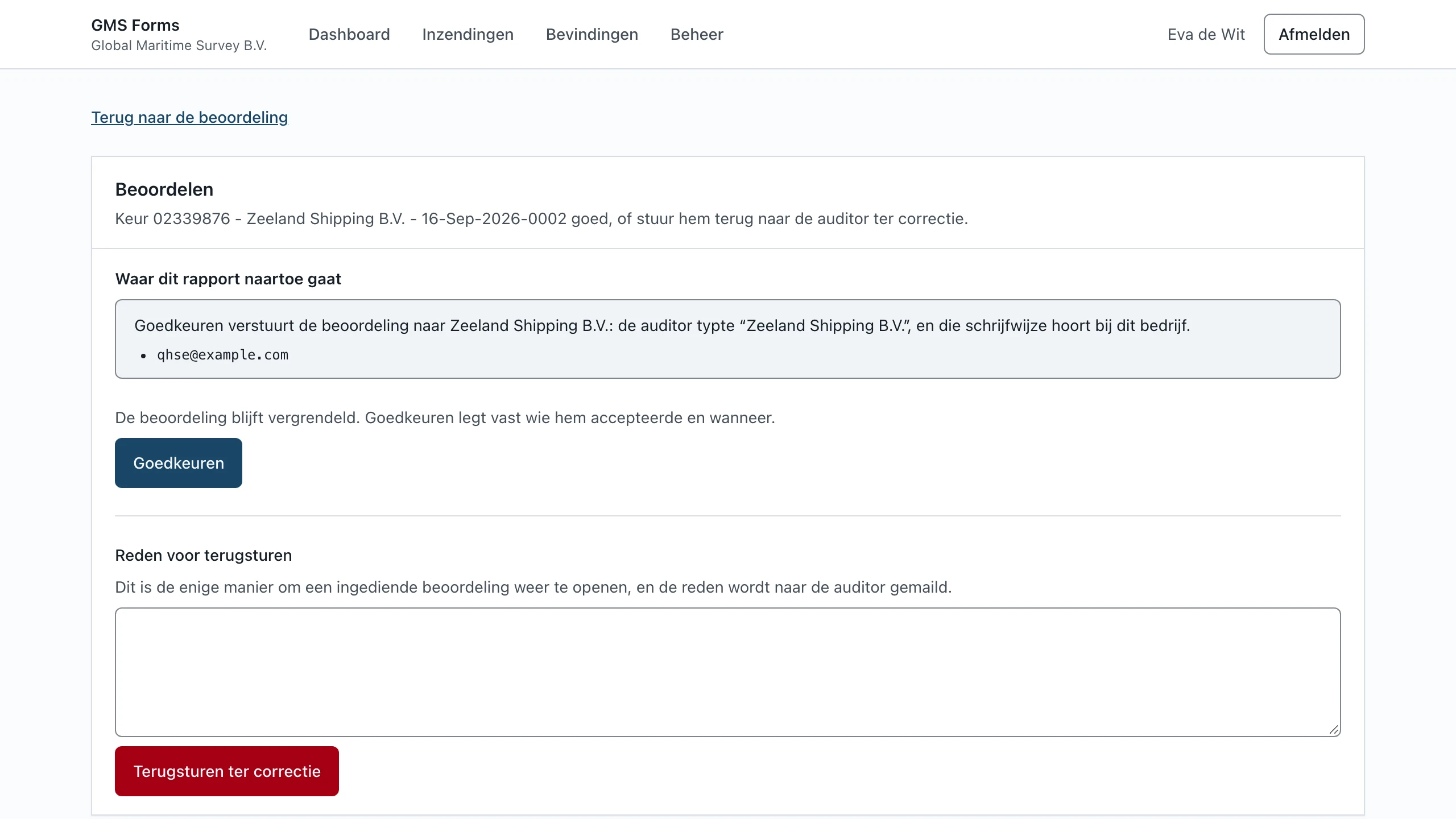
A submitted assessment gets a unique number and is locked from then on. At the office, an administrator approves it, or returns it to the auditor with a reason. Only on approval does the report go to the shipping company, and the screen shows beforehand which addresses it will go to.

The review screen: approve or return, with the addresses the report will be sent to

A report that stays put

The PDF report comes from the same design as the screen, with a header and a footer on every page. Every version is kept with a digital fingerprint, so it can always be shown which report was sent. A shipping company can also view an assessment through a link with an access code.

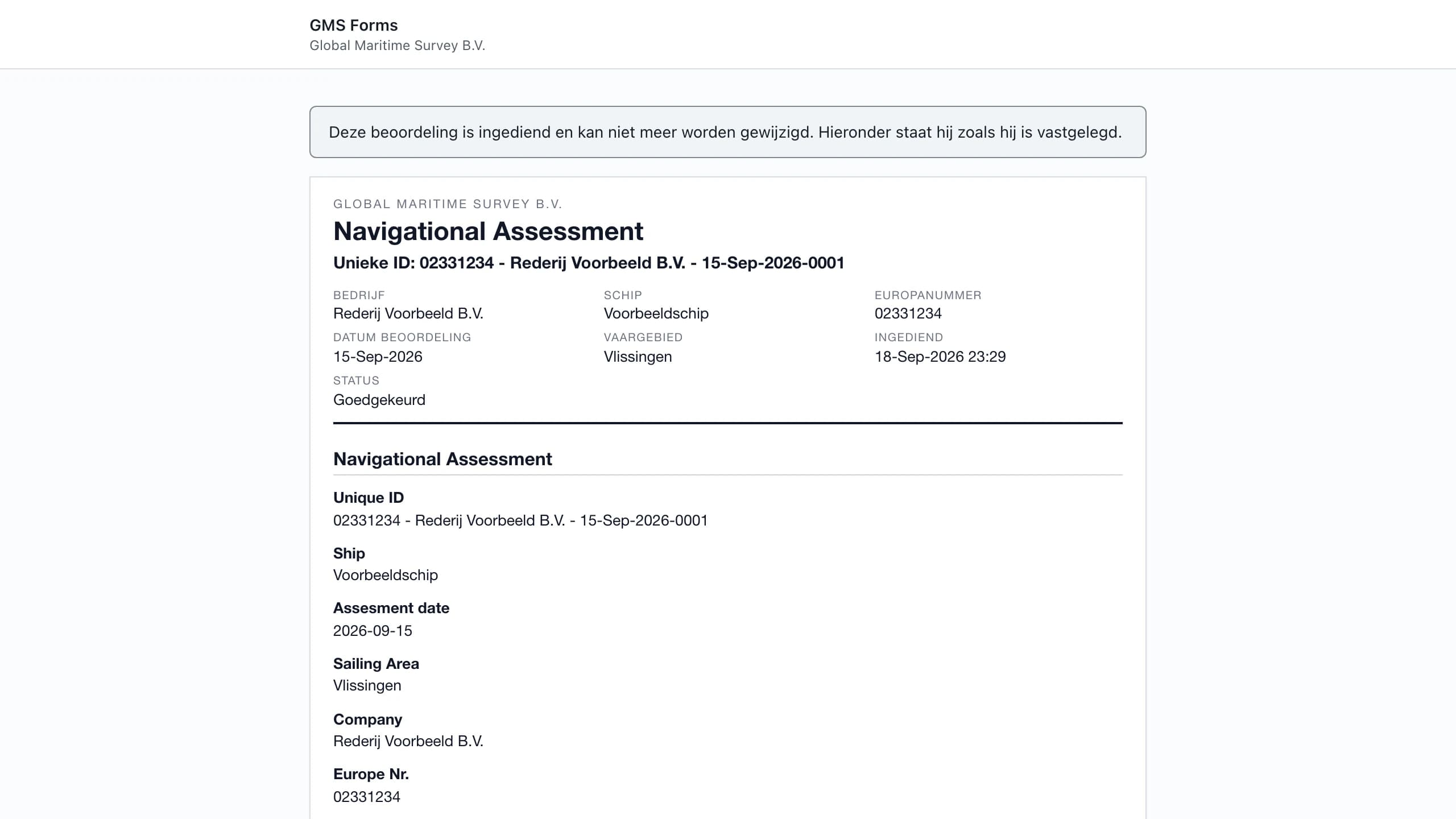
A submitted assessment as it was recorded, with company, vessel, European number and status

Findings that stay on the record

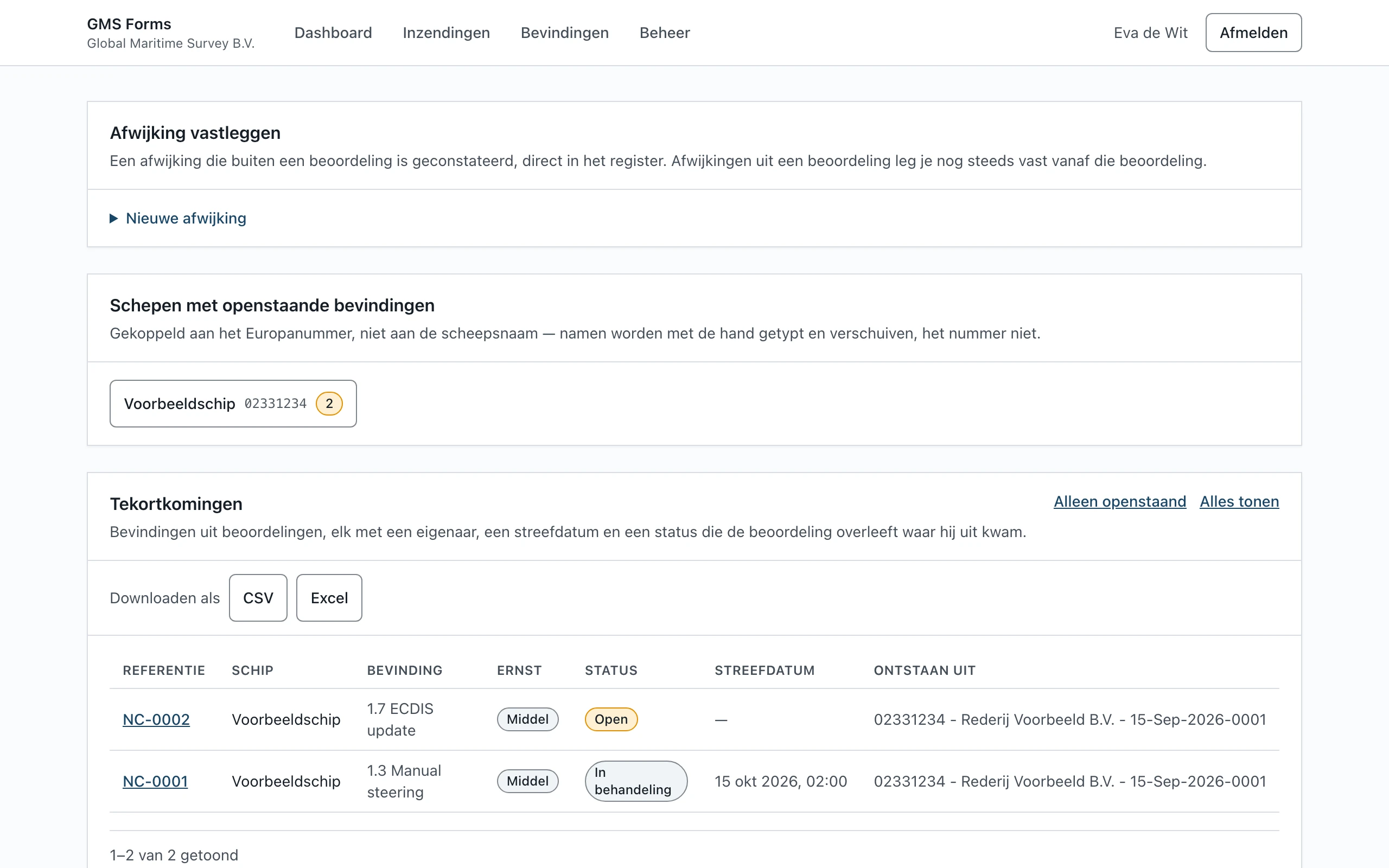
A No in the questionnaire becomes a finding in a register with one click, with an owner, a target date and a status. Findings are tied to the vessel's European number, so the next visit starts with whatever was left open last time. The platform works out the compliance percentage per section, and the register goes to Excel in one click.

The findings register: what is open per vessel, with severity, status and target date

The form in their own hands

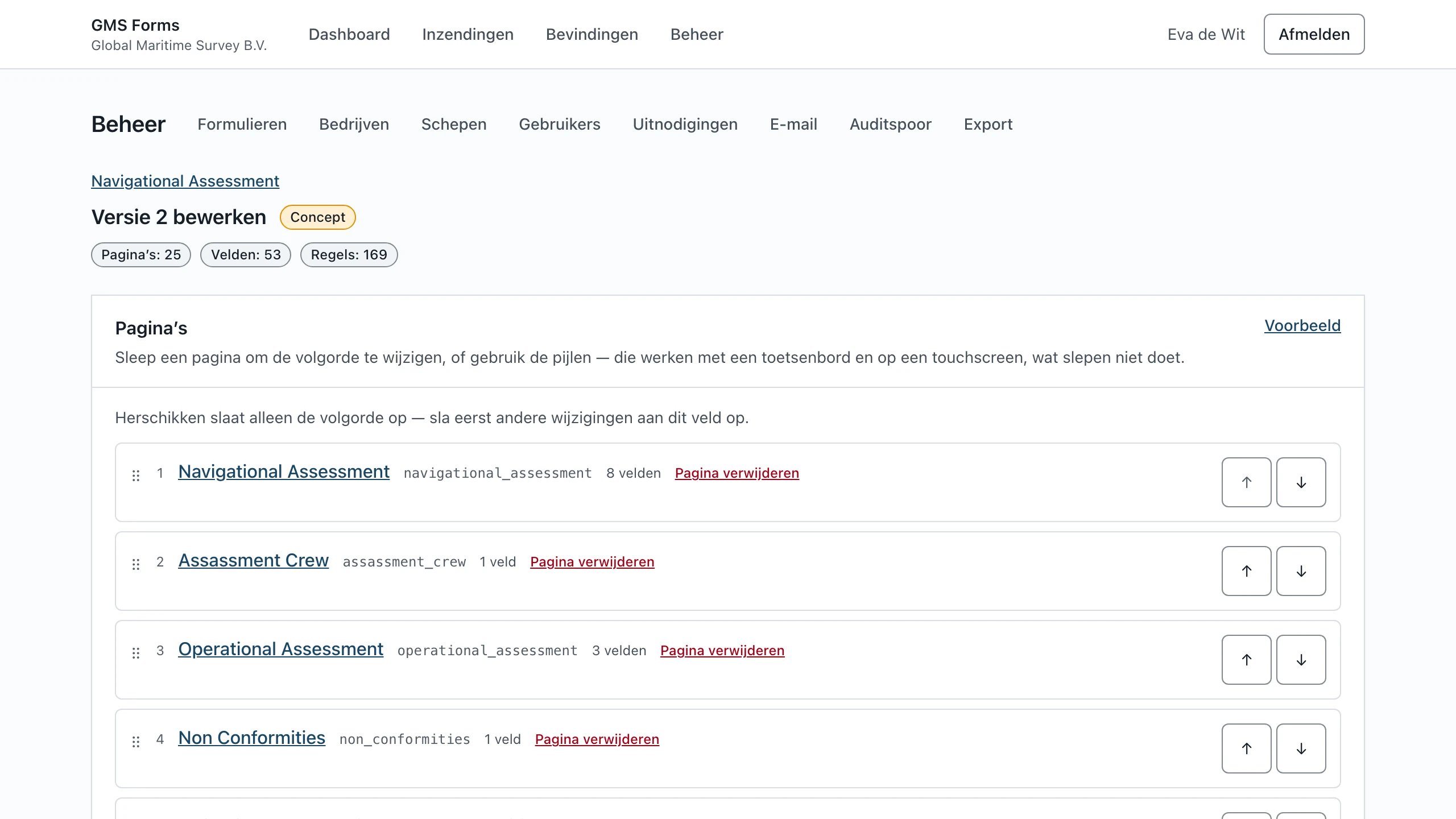
The questionnaire is data, not code. GMS changes pages and questions themselves in a builder, previews the result and publishes a new version. Assessments already submitted keep showing the questions as they were asked at the time.

The form builder with the pages of the Navigational Assessment, ready to reorder and edit

How I went about it

  1. The existing form as the starting point

    First a complete inventory of the Zoho form: every page, every question, every row. That became the data model, so the new platform ran the same assessment from day one.

  2. Building in phases

    Filling in, sending, the report, the builder and the findings: each phase delivered working, with automated tests on a laptop and a phone screen, accessibility checks included.

  3. Bringing the history along

    Every assessment in Zoho was moved across, with its signatures and freshly rendered reports, without a single e-mail going out. If a question column in the export could not be tied to a question, the migration refused to write.

  4. Testing and handing over

    Before going live I tested the platform against the signed agreement rather than the plan, and closed every gap. Then work instructions with screenshots for auditors, administrators and guests, and a handover note for GMS.

Built to be relied on

A shipping company acts on what a report says. That takes more than a form that works.

Submitted means submitted

Once submitted, the database refuses any change. Returning for correction is the only way back, and that is recorded too.

A log that cannot be changed quietly

Submitting, approving, returning and sending go into a log whose entries are chained together. Writing into it afterwards breaks the chain, and that can be checked.

Encrypted and restorable

The data is stored encrypted on a server in the EU. Backups are encrypted, kept in a separate place and cannot be overwritten. Every month the system restores one automatically, to prove that it works.

Mail from their own domain

Reports and notifications go out from GMS's own Microsoft 365, from one shared mailbox, in the recipient's language. There is no external e-mail service in between.

Access by role

Auditors, administrators, readers and guests see only what belongs to their role. Every shared link asks for an access code and can be withdrawn per person.

Everything exportable

One archive with every assessment, every register, the log and all reports. The data is never locked inside the platform.

The result

Since September 2026 Global Maritime Survey works with GMS Forms. Auditors fill in the assessment on whatever device they have with them on board, the office sees at a glance what is waiting for approval, and the shipping company receives a report that does not change after approval.

The platform runs on a server I manage, with backups, updates and maintenance as a fixed part of the agreement. GMS changes the form themselves; for everything beyond that, I am the point of contact.

Technology

Mainstream, widely supported technology, so a next developer can take it over without detours.

  • Next.js and React
  • TypeScript
  • PostgreSQL
  • Chromium for the PDF reports
  • Microsoft Graph for e-mail
  • Docker
  • Vitest and Playwright for the tests

Does your process still run on forms and e-mail?

Tell me how it works today. I will tell you honestly whether custom software pays for itself, or whether an existing product will do.